What Is Cumulative Layout Shift and Why Should Your Agency Actually Care
There is a moment every web user knows, even if they cannot name it. You are reading a page, about to click a button, and suddenly everything shifts. The content jumps. You tap the wrong link. The experience is immediately frustrating, and honestly, a little embarrassing for whoever built that site. That phenomenon has a formal name in 2026: Cumulative Layout Shift, or CLS. It is one of Google's three Core Web Vitals, and for marketing and creative agencies, it is arguably the most visually consequential of the group. Poor CLS scores do not just hurt your search rankings. They undermine the credibility of every design decision your team labored over. If your agency is building websites for clients, or running campaigns that send traffic to landing pages, CLS is not a developer problem to hand off. It is a brand problem you need to own.
Breaking Down Cumulative Layout Shift in Plain Terms
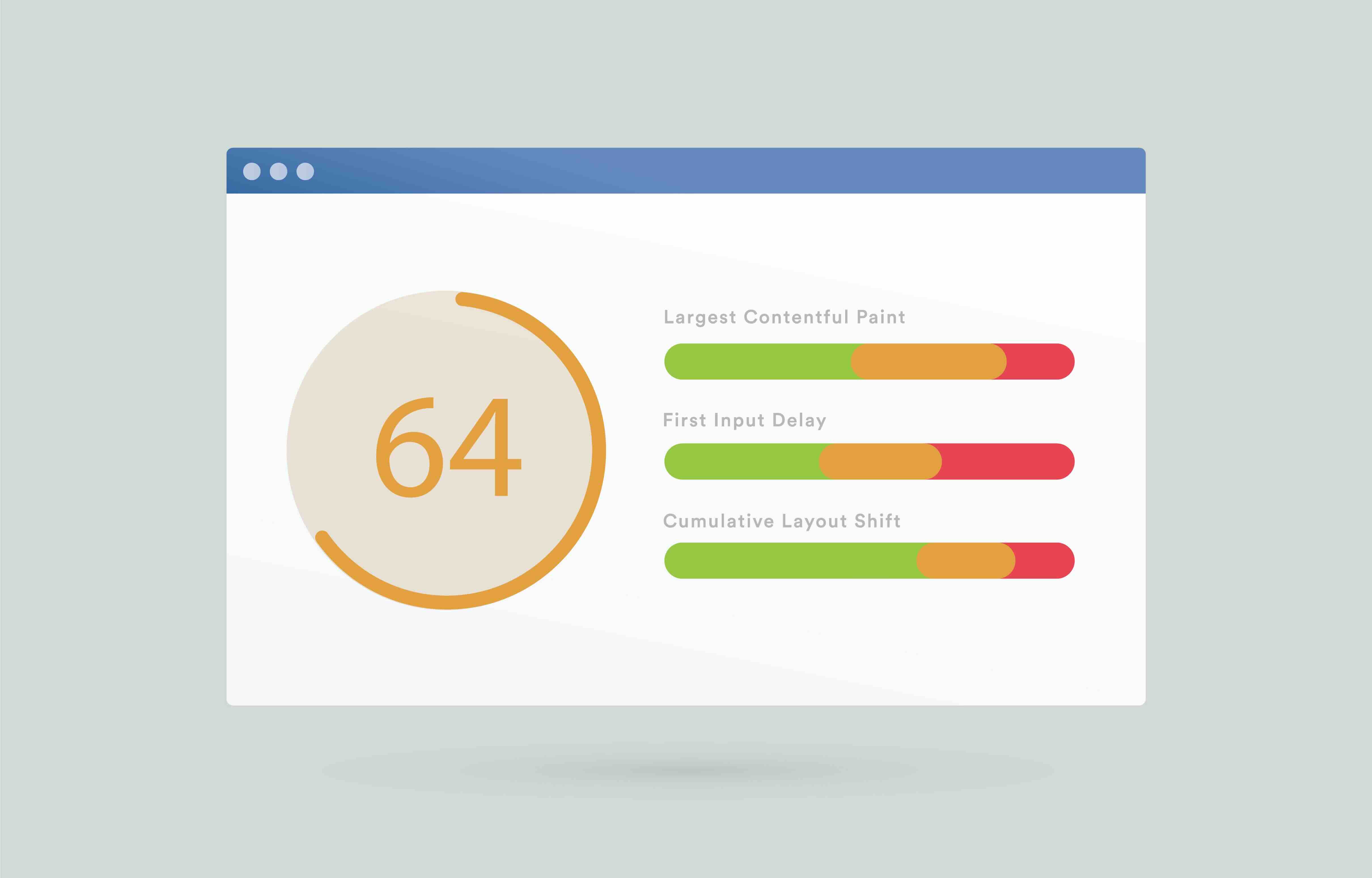
CLS measures visual stability. Specifically, it quantifies how much unexpected layout movement occurs during the lifespan of a page load. Google calculates it by multiplying two values: the impact fraction, which represents how much of the viewport is affected by the shifting element, and the distance fraction, which measures how far that element moves. The resulting score is unitless. A CLS score of 0.1 or below is considered good. Anything between 0.1 and 0.25 needs improvement. Above 0.25 is classified as poor. To put that in context, a single rogue banner ad or a late-loading font swap can push an otherwise beautiful agency-built landing page into the poor category. That matters more than ever now that Google's ranking algorithms factor Core Web Vitals into Page Experience signals, meaning a bad CLS score is quietly suppressing your clients' organic visibility every single day.
The Most Common Causes of Layout Shift on Agency-Built Sites
Understanding what causes CLS is half the battle. The culprits tend to cluster around a few familiar patterns that show up repeatedly on marketing and creative agency deliverables. Images and video elements without explicit width and height attributes are among the most frequent offenders. When a browser does not know the dimensions of a media asset ahead of time, it cannot reserve space for it, so everything below shifts downward the moment that asset loads. Web fonts are another major contributor. When a system font renders first and then swaps to a custom typeface mid-load, that is a layout shift. Dynamically injected content, such as cookie banners, chat widgets, and newsletter popups that appear above existing content, causes significant CLS. Third-party embeds from ad networks, social platforms, and analytics tools are also notorious for triggering unexpected shifts because their dimensions are often unpredictable at load time. For agencies managing complex, content-rich websites with multiple third-party integrations, this list of causes is not hypothetical. It is a checklist of things to audit immediately.
How CLS Affects Your Clients' Business Performance
This is where the conversation moves from technical to tangible. Layout instability directly affects conversion rates. When a call-to-action button shifts just before a user clicks it, that user may abandon the interaction entirely. When a form field jumps while someone is filling it out, they often do not come back. Research consistently shows that even minor friction in user experience compounds into meaningful revenue loss at scale. For e-commerce clients, a poor CLS score on a product page or checkout flow is not just a UX inconvenience. It is a measurable drag on revenue. For B2B clients running paid media campaigns, a high CLS score on the landing page means ad spend is being wasted on traffic that bounces before converting. And because Google uses Core Web Vitals as a ranking factor within its Page Experience evaluation, poor CLS also creates an SEO disadvantage that reduces organic impressions over time. The cascading effect is real, and it compounds quietly.
Key Advantages of Optimizing CLS for Marketing and Creative Agencies
When an agency commits to genuine CLS optimization, the benefits extend well beyond a better score in PageSpeed Insights. First, there is the direct improvement to user experience and session quality, which flows into improved engagement metrics and lower bounce rates. Second, better Core Web Vitals performance contributes to stronger organic search rankings, which matters enormously for clients investing in content marketing and SEO. Third, there is a competitive differentiation angle. Agencies that can demonstrate technical excellence alongside creative output are positioned to win larger, more sophisticated clients. Delivering a site that is both visually stunning and technically sound is a meaningful value proposition. Fourth, improved CLS scores reduce the likelihood of poor ad quality scores on Google's ecosystem, since landing page experience is factored into Quality Score calculations for paid search. That means better ad efficiency and lower cost per click for clients running Google Ads campaigns alongside their organic strategy.
Practical Techniques for Reducing CLS on Client Websites
Fixing CLS is not always simple, but the methodology is well-established and actionable. These are the optimization techniques worth building into every project workflow:
- Always define explicit width and height attributes on images and video elements so browsers can allocate space before assets load.
- Use CSS aspect-ratio boxes for responsive media to maintain reserved space across viewport sizes.
- Preload critical web fonts and use font-display: optional or font-display: swap strategically to minimize font-induced layout shifts.
- Avoid inserting content dynamically above existing on-page content unless it is triggered by user interaction.
- Assign fixed or minimum dimensions to ad slots, embeds, and third-party iframes to prevent unexpected size changes.
- Audit all third-party scripts regularly and remove or defer anything that is not essential to the above-the-fold experience.
- Use CSS transform animations rather than properties that trigger layout recalculations, such as top, left, or margin.
These techniques apply whether you are building on Webflow, Shopify, or WordPress. The platform matters less than the discipline of applying these practices consistently across every project.
Common Drawbacks and Challenges Worth Acknowledging
CLS optimization is not without friction. One honest challenge is that creative ambition and technical constraints sometimes pull in opposite directions. Agencies pushing the boundaries of interactive design, animation, and dynamic content delivery often encounter CLS issues as a byproduct of that ambition. Heavily animated hero sections, parallax effects, and content that loads in stages can all introduce instability if not engineered carefully. Another challenge is third-party dependency. Many clients rely on marketing technology stacks that include tools the agency did not build and cannot fully control. Tag managers, retargeting pixels, live chat platforms, and advertising scripts all introduce potential CLS contributors that require ongoing monitoring rather than a one-time fix. There is also the measurement complexity. CLS is scored across the entire page lifecycle, not just initial load, meaning that interactions later in a user session can contribute to a poor score even if the initial render was clean. Field data and lab data often diverge, which can create confusion when reporting to clients who are used to seeing clean, absolute metrics.
How to Measure and Monitor CLS Effectively
Measurement is where a lot of agencies fall short, not because they lack the tools, but because they are not consistently using them. Google Search Console provides field data on Core Web Vitals, including CLS, segmented by URL groups. PageSpeed Insights surfaces both lab and field data for individual URLs. Chrome DevTools includes a Layout Shift Regions overlay in the Rendering panel that visually highlights which elements are shifting and by how much. The Chrome User Experience Report offers aggregated real-user data at scale. For agencies managing multiple client accounts, integrating CLS monitoring into a centralized reporting dashboard using tools like Looker Studio connected to the CrUX API is worth the setup time. The point is that CLS is not a metric you check once at launch. It is an ongoing indicator of site health that warrants monthly review, especially as content, plugins, and third-party scripts change over time.
Why Kreativa Group Is the Right Partner for Core Web Vitals Optimization
If your business has been treating Core Web Vitals as a developer afterthought rather than a strategic priority, that is a gap worth closing. Kreativa Group is a marketing and creative agency based in Los Angeles and Miami, and this kind of work sits at the exact intersection of where they operate. Their team has built and launched over two dozen websites across Webflow, Shopify, and WordPress, and they understand that technical performance and creative excellence are not opposing forces. They are complementary. The agency's leadership has managed paid media for multi-billion dollar brands including Newegg, Rakuten, and Fossil Group, and has designed digital experiences for global names like Sandals Resorts, Porsche, Audi, and BMW. They know what it means to deliver at scale, under scrutiny, with real revenue on the line. Kreativa Group has driven over $200 million in incremental revenue, averaged over 7x ROAS, and maintained a 4% conversion rate across their client portfolio. They are certified Google Ads, Amazon Ads, Shopify, and Webflow partner agencies, placing them among the top 1% of US-based agencies across all four certifications. More importantly, they focus on business outcomes. Not impressions. Not vanity scores. Actual results. If you want to understand where your site stands and what it is costing you, the best starting point is a conversation with an agency that has seen it all. Visit Kreativa Group's website to learn more about their approach, or take the first concrete step and book a free growth audit for your business to get an honest assessment of where your Core Web Vitals performance may be holding you back.
Frequently Asked Questions About Cumulative Layout Shift
What is a good CLS score for a website?
A CLS score of 0.1 or below is considered good by Google's Core Web Vitals standards. Scores between 0.1 and 0.25 need improvement, and anything above 0.25 is classified as poor. Aiming for 0.1 or below should be the baseline target for any professionally built website.
Does CLS directly affect Google search rankings?
Yes. CLS is one of the three Core Web Vitals that Google incorporates into its Page Experience ranking signals. A poor CLS score can negatively influence organic search visibility, particularly in competitive search result pages where multiple sites have comparable content quality.
What is the difference between lab data and field data for CLS?
Lab data is collected in a controlled environment using tools like PageSpeed Insights or Lighthouse, simulating a page load under specific conditions. Field data, also called real-user monitoring data, reflects actual user sessions captured through tools like the Chrome User Experience Report. CLS can differ significantly between the two because field data accounts for user interactions and dynamic content loading that lab tests may not fully replicate.
Can third-party scripts cause CLS issues?
Yes, and this is one of the most common sources of CLS on marketing and agency-built sites. Advertising scripts, chat widgets, cookie consent banners, and social media embeds frequently inject content into the page without reserving space in advance, which causes layout shifts. Regular third-party script audits are essential for maintaining a healthy CLS score.
How does web font loading contribute to layout shift?
When a browser initially renders a page using a fallback system font and then swaps to a custom web font once it finishes loading, the change in character dimensions can cause surrounding content to reflow. This is known as a flash of unstyled text or a font swap event, and it directly contributes to CLS. Using font-display: optional or preloading critical fonts helps minimize this effect.
Is CLS optimization different on Webflow versus WordPress or Shopify?
The core principles of CLS optimization are consistent across all platforms. However, each platform has different mechanisms for controlling asset loading, script management, and third-party integrations. Webflow offers clean code output by default, while WordPress relies heavily on plugin management to control CLS contributors. Shopify's theme architecture requires careful attention to how apps inject scripts and dynamic content into the storefront.
How often should CLS be monitored after a website launches?
CLS should be reviewed at minimum on a monthly basis. Any time new plugins, scripts, content sections, or third-party tools are added to a site, a CLS check should be performed. Changes to ad placements, page templates, or image handling can also introduce new layout shift issues that were not present at launch.
Does CLS affect paid search performance as well as organic?
Yes. Google factors landing page experience into the Quality Score calculation for Google Ads campaigns. A poor landing page experience, which includes CLS and other Core Web Vitals, can lower Quality Scores, which in turn increases cost per click and reduces ad position. Optimizing CLS benefits both organic and paid search performance simultaneously.
Can animations and interactive design elements cause CLS?
They can, yes. Animations that alter layout properties such as height, width, margin, or padding during page load can cause measurable layout shifts. Using CSS transform and opacity for animations avoids triggering layout recalculations, which is the technically correct approach for maintaining a low CLS score without sacrificing creative design quality.
What tools are most effective for diagnosing CLS issues?
Google PageSpeed Insights, Chrome DevTools with the Layout Shift Regions overlay enabled, and Google Search Console's Core Web Vitals report are the most practical starting points. For deeper analysis across real user sessions, the Chrome User Experience Report accessed via the CrUX API provides aggregated field data that reflects actual performance across a range of devices and connection speeds.